








Scene palette
Updated: 06/10/2021
The Animation View allows you to create multiple facial expression patterns and motions within a single project file and manage each of them as a “scene.”
Scene Palette
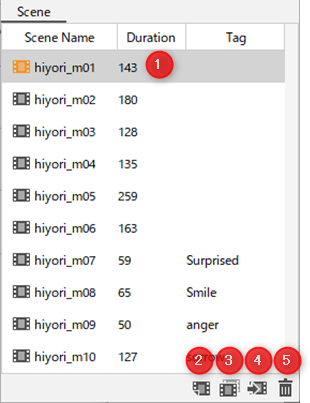
| (1) | Scene |
| (2) | Create a new scene |
| (3) | Copy selected scene |
| (4) | Insert scene |
| (5) | Delete scene |
See the “Scene management and settings” page for detailed instructions.
Was this article helpful?
YesNo