







LookAtSample
Updated: 09/29/2026
Summary
This sample uses the Cubism SDK for Unreal Engine to implement a model’s eye tracking function in Unreal Engine.
See “LookAt (UE)” for details on the eye tracking function.
The following assets are available in Content/Samples/LookAt.
- LookAtSample
Level asset containing the sample
Purpose
By attaching a CubismLookAtComponent to a model and specifying the parameters you want to track, you can verify that these parameters track the position of the actor object.
If you want to review the details of the sample implementation, check the contents of the LookAtSample level blueprint.
How to use
Open the LookAtSample level and start PIE.
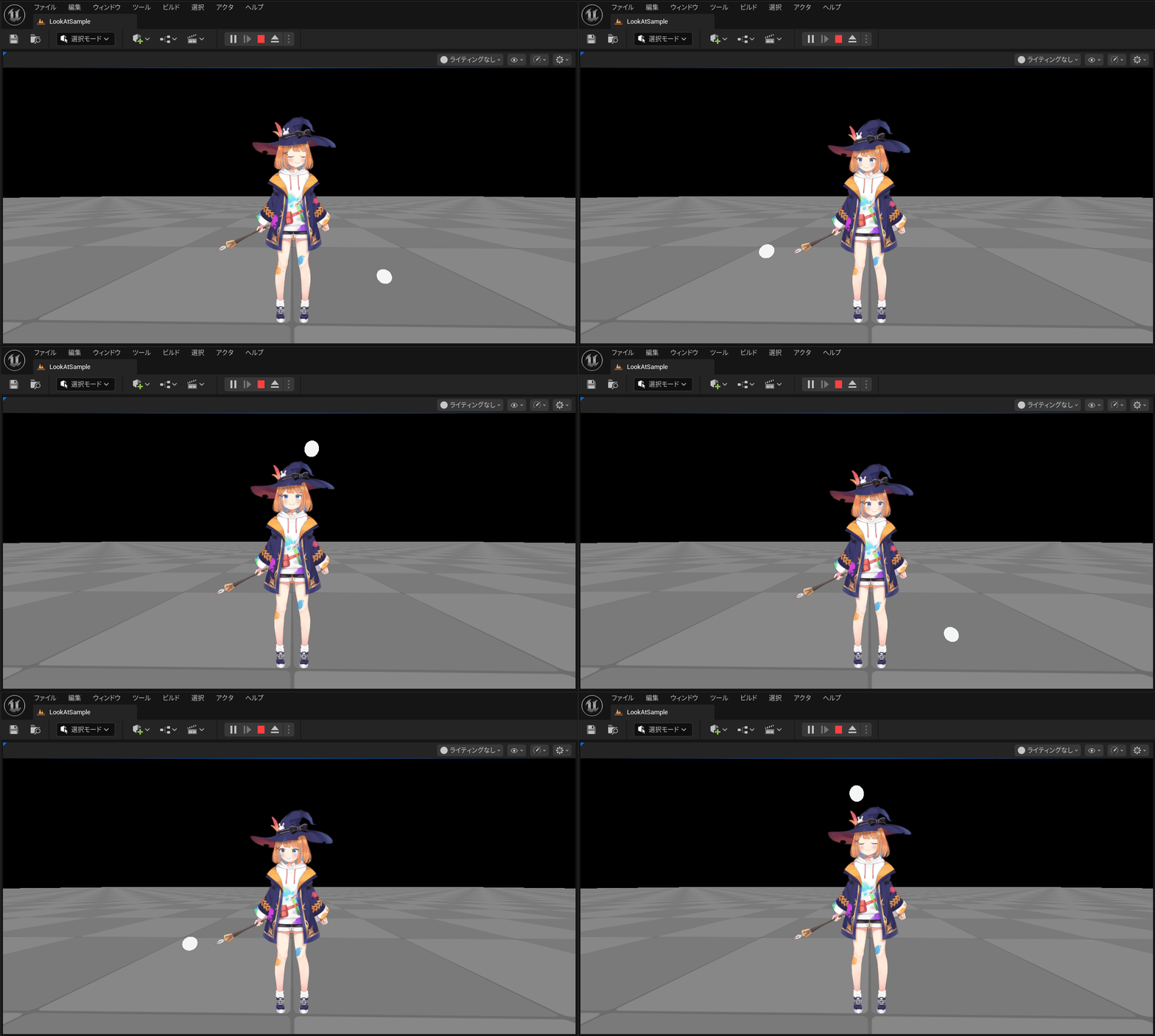
The Sphere actor orbits around the model, and the model’s line of sight tracks the actor.
Additional Information
The model has a CubismLookAtComponent, and the following six parameters have been specified for tracking:
- ParamAngleX
- ParamAngleY
- ParamBodyAngleX
- ParamBodyAngleY
- ParamEyeBallX
- ParamEyeBallY
By changing the settings, you can change the parameters that you want to track.
You can verify the eye tracking function not only in PIE but also by animating the LookAtTarget in the Editor.